Author: admin

  • 15 ChatGPT Prompts for Digital Marketing (Copy-Paste Ready)

    15 ChatGPT Prompts for Digital Marketing (Copy-Paste Ready)

    Home  /  Blog  /  AI Tools

    15 ChatGPT Prompts for Digital Marketing (Copy-Paste Ready)

    15 ChatGPT Prompts for Digital Marketing (Copy-Paste Ready)

    Disclosure: This post contains affiliate links. If you buy through them, we may earn a commission at no extra cost to you. Learn more.

    ChatGPT is only as good as the prompt you give it. “Write me an ad” gets you generic fluff; a well-engineered prompt gets you copy you can actually run. Below are 15 copy-paste ChatGPT prompts for digital marketing — covering ad copy, SEO, content ideas, and email subject lines — each with exactly when and how to use it for maximum output quality.

    How to Get Great Results From These Prompts

    Before you copy anything, set up ChatGPT properly. Three rules make every prompt below 10x better:

    • Give it context first. In a new chat, paste a short business brief: what you sell, who you sell to, your tone of voice, and your main offer. Refer back to it in every prompt (“using the business brief above”).
    • Demand specifics. Add constraints like “under 125 characters,” “no buzzwords,” or “write at a 6th-grade reading level.” Constraints are what turn generic output into usable copy.
    • Iterate, don’t accept. The first output is a draft. Reply with “make it more urgent,” “shorter,” or “give me 10 more variations” until it clicks. The best copy usually comes from round three, not round one.

    Ad Copy Prompts (1–5)

    Prompt 1: The 10-Variation Facebook Ad Generator

    Using the business brief above, write 10 Facebook ad primary texts for [PRODUCT]. Each must be under 125 characters, open with a hook in the first 7 words, include one specific benefit with a number, and end with a clear CTA. Vary the angles: pain point, aspiration, social proof, urgency, and curiosity — two of each. No emojis in the first line.

    Why it works: it forces angle diversity so you’re actually testing, not just rewording the same ad. Run the winners and kill the losers — that’s how you find a 2x creative in a week.

    Prompt 2: The PAS Ad Framework

    Write a 90-word ad for [PRODUCT] using the PAS framework: Problem (agitate the specific pain of [TARGET AUDIENCE] in one vivid sentence), Agitation (make the cost of doing nothing concrete with a number or scenario), Solution (introduce [PRODUCT] as the fix with one proof point). Tone: direct, conversational, zero hype words like “revolutionary” or “game-changing.”

    Why it works: PAS is the highest-converting short ad structure ever tested. Naming the banned hype words keeps the copy believable.

    Prompt 3: The UGC-Style Video Ad Script

    Write a 30-second UGC-style video ad script for [PRODUCT]. Format: HOOK (0–3 sec, pattern-interrupt opening line spoken to camera), PROBLEM (3–10 sec, relatable frustration), DEMO (10–20 sec, show the product solving it in 3 quick steps), CTA (20–30 sec, offer + urgency). Write it like a real customer talks — contractions, filler-free, no corporate language.

    Why it works: UGC-style scripts are the top-performing creative format on TikTok and Reels. This prompt gives you the exact beats that hold attention past the 3-second mark.

    Prompt 4: The Competitor Angle Steal

    Here are 3 competitor ads: [PASTE ADS]. Analyze the angle, hook, and offer in each. Then write 5 new ad angles for [MY PRODUCT] that target the same audience but differentiate on [MY UNIQUE ANGLE]. Each angle: one-sentence concept plus a 40-word ad draft. Do not copy their phrasing.

    Why it works: competitors have already spent money discovering what the market responds to. You’re borrowing the validated angle, not the copy.

    Prompt 5: The Retargeting Ad Set

    Write 6 retargeting ads for people who visited [PRODUCT PAGE] but didn’t buy. Two ads addressing price objections, two addressing trust objections (guarantee, reviews, results), two with urgency (limited bonus, price increase). Each under 100 words, conversational tone, specific CTA to return to the page.

    Why it works: retargeting converts warm traffic, but only if the copy answers the specific objection that stopped the purchase. Generic “come back!” ads waste the impression.

    SEO and Content Prompts (6–10)

    Prompt 6: The Keyword Cluster Map

    Act as an SEO strategist. For the topic [TOPIC], generate a keyword cluster map: 1 pillar keyword, 8 cluster keywords with estimated search intent (informational, commercial, transactional) for each, and a suggested article title targeting each cluster keyword. Prioritize keywords a new site could realistically rank for — flag any that are too competitive and suggest a long-tail alternative.

    Why it works: it builds your content architecture in one shot instead of writing random posts. If you’re starting an online business with no money, this prompt turns one topic into a 9-article content plan that compounds in traffic.

    Prompt 7: The Outline That Outranks

    I’m writing an article targeting the keyword “[KEYWORD]”. Here are the H2s from the top 3 ranking articles: [PASTE H2s]. Create a superior outline: keep what’s working, add 3 sections the competitors missed (based on likely reader questions), and order everything by search intent. Include a FAQ section with 5 questions targeting People-Also-Ask style queries.

    Why it works: ranking is about covering the topic more completely than whoever’s currently winning. This reverse-engineers their structure, then beats it.

    Prompt 8: The Meta Title and Description Writer

    Write 10 meta title + meta description pairs for an article titled “[TITLE]” targeting “[KEYWORD]”. Titles: under 60 characters, keyword near the front, include a number or power word. Descriptions: under 160 characters, include the keyword once, end with a curiosity gap or benefit. Rank them best to worst and explain the top pick in one sentence.

    Why it works: click-through rate is a ranking lever most people ignore. Ten options let you pick a genuinely clickable one instead of settling.

    Prompt 9: The 30-Day Content Calendar

    Create a 30-day content calendar for [BUSINESS] posting on [PLATFORM]. Mix: 40% educational, 30% entertaining, 20% social proof, 10% direct offers. For each day: content pillar, hook/first line, format (carousel, reel, story, static), and one-sentence concept. Avoid repeating the same format twice in a row. Tie 4 posts to [UPCOMING EVENT/SEASON] where natural.

    Why it works: consistency beats brilliance on social. A full month planned in 10 minutes removes the “what do I post today” friction that kills most accounts.

    Prompt 10: The Repurposing Machine

    Here’s my blog post: [PASTE POST]. Repurpose it into: 5 tweet/X posts (each one standalone insight, under 280 characters), 1 LinkedIn post (hook + 3 lessons + question), 1 email newsletter section (150 words, conversational), and 3 short-form video scripts (hook + one tip each, under 30 seconds). Keep my voice and don’t repeat the same example twice.

    Why it works: one good article should feed every channel. This turns a single piece of work into a week of distribution.

    Email Prompts (11–13)

    Prompt 11: The 25 Subject Line Test Bank

    Write 25 email subject lines for an email about [TOPIC/OFFER] to [AUDIENCE]. Mix styles: 5 curiosity-driven, 5 benefit-driven, 5 with numbers, 5 question-based, 5 urgency-based. Each under 50 characters, no spam-trigger words (free, guarantee, $$$, all caps), no clickbait that the email can’t deliver on. Mark your top 3 for A/B testing.

    Why it works: subject lines decide open rates, and open rates decide everything downstream. A bank of 25 means you never reuse a tired line.

    Prompt 12: The 5-Email Welcome Sequence

    Write a 5-email welcome sequence for new subscribers of [BUSINESS] who signed up for [LEAD MAGNET]. Email 1: deliver the lead magnet + quick win. Email 2: my story and why I do this (build trust). Email 3: biggest mistake my audience makes + how to fix it (value). Email 4: customer case study with specific numbers (proof). Email 5: soft pitch for [OFFER] with guarantee and deadline (convert). Each email 150–250 words, one CTA max, conversational tone.

    Why it works: the welcome sequence is the highest-ROI email automation in existence — new subscribers are at peak attention. This structure moves them from stranger to buyer in five emails.

    Prompt 13: The Cart Abandonment Rescue

    Write a 3-email cart abandonment sequence for [PRODUCT] at [PRICE]. Email 1 (1 hour later): friendly reminder, restate the core benefit, easy return-to-cart link. Email 2 (24 hours later): handle the top 3 objections ([OBJECTION 1, 2, 3]) with proof. Email 3 (72 hours later): final nudge with [DISCOUNT/BONUS] expiring in 24 hours. Each under 200 words. Tone: helpful, never desperate.

    Why it works: 70% of carts are abandoned, and this sequence routinely recovers 10–15% of them. That’s found revenue from traffic you already paid for.

    Strategy and Research Prompts (14–15)

    Prompt 14: The Customer Voice Miner

    Here are 20 customer reviews of [PRODUCT]: [PASTE REVIEWS]. Extract: the 5 most repeated pain points (with the exact customer language used), the 5 most loved benefits (with exact phrasing), and 10 headline ideas built directly from customer quotes. Then write a 100-word “voice of customer” summary I can paste into future prompts so the AI writes like my buyers talk.

    Why it works: the best copy sounds like your customers, not like a marketer. This prompt mines real language and bakes it into every future output.

    Prompt 15: The Offer Strength Audit

    Audit my offer: [DESCRIBE OFFER, PRICE, GUARANTEE, BONUSES]. Score it 1–10 on: clarity (does a stranger get it in 5 seconds?), value perception (does it feel worth 10x the price?), risk reversal (is buying a no-brainer?), and urgency (is there a reason to buy now?). For any score under 7, give me 3 specific fixes with example copy I can use.

    Why it works: most “copy problems” are actually offer problems. No prompt can save a weak offer — this one tells you the truth before you spend on ads.

    Advanced Tips: Getting Pro-Level Output

    • Feed it winners. Paste your 3 best-performing ads or emails and say “analyze what makes these work, then write 5 more in the same style.” AI imitates patterns better than it invents them.
    • Use role + audience + constraint. Every prompt should name the role (“act as a direct-response copywriter”), the audience (“for busy moms who shop on mobile”), and a constraint (“under 100 words”). The formula role + audience + constraint + task beats vague requests every time.
    • Ask for the reasoning. Add “explain your choices in one line each” to get insight into why an angle might work — it trains your own judgment over time.
    • Build a prompt library. Save the prompts that produce winners in a doc with the output attached. In 90 days you’ll have a custom playbook no competitor can copy.
    • Never publish the first draft. AI output is a starting point at 80% quality. Your job is the final 20%: fact-check claims, inject real stories and numbers, and cut anything that sounds like a robot wrote it.

    Frequently Asked Questions

    Can ChatGPT really write good marketing copy?

    Yes — with good prompts and human editing. ChatGPT is excellent at structure, angles, and volume: it can generate 25 subject lines or 10 ad angles in seconds. What it can’t do is know your customers’ real objections or your product’s true differentiators. Feed it that context, edit the output, and the copy is genuinely strong. Publish raw output and it reads like everyone else’s AI copy.

    How do I stop ChatGPT from sounding generic?

    Three fixes: (1) ban the hype words explicitly (“no revolutionary, game-changing, unlock, elevate”), (2) give it real customer language from reviews to imitate, and (3) add hyper-specific constraints — exact word counts, reading level, and format. Generic prompts produce generic copy; specific prompts produce specific copy.

    Should I use these prompts for client work?

    Absolutely — agencies use AI-assisted copy as standard practice now. The professional standard is: AI for drafts, angles, and volume; human for strategy, fact-checking, and final polish. Disclose AI assistance if your client contracts require it, and never let AI invent testimonials, statistics, or claims you can’t verify.

    What’s the biggest mistake marketers make with ChatGPT?

    One-shot prompting: asking once, accepting the output, and publishing. The marketers getting real results treat ChatGPT like a junior copywriter — brief it well, review the draft, give specific feedback, and iterate 2–3 rounds. The quality jump between round one and round three is enormous.

    Do these prompts work with other AI tools like Claude?

    Yes. These prompts are tool-agnostic — they work in ChatGPT, Claude, Gemini, and most AI copywriting tools. Claude tends to produce slightly more natural long-form output; ChatGPT is often faster for short ad variations. Use whichever you have and keep the prompting discipline the same.

    The Bottom Line

    Save this page. The 15 prompts above cover the full marketing workflow — ads, SEO, content, email, and strategy — and each one is built to produce usable output, not filler. The marketers winning with AI in 2026 aren’t using secret tools; they’re using better prompts, better context, and the discipline to iterate. Start with Prompt 1 today: generate 10 ad angles for your main product, pick the best three, and test them this week.

    T
    Taktik Marketing

    Digital marketing agency helping brands launch, sell, and scale online — with practical guides on Shopify, dropshipping and e-commerce growth.

    LET'S WORK TOGETHER

    Have a project in mind?
    Let's create something extraordinary.

    Reach out today — we'll get back to you fast.

    Get in touch →
  • 10 Best AI Marketing Tools Every Marketer Needs in 2026

    10 Best AI Marketing Tools Every Marketer Needs in 2026

    Home  /  Blog  /  AI Tools

    10 Best AI Marketing Tools Every Marketer Needs in 2026

    10 Best AI Marketing Tools Every Marketer Needs in 2026

    Disclosure: This post contains affiliate links. If you buy through them, we may earn a commission at no extra cost to you. Learn more.

    AI isn’t coming for marketing jobs — it’s coming for the boring parts of them. In 2026, the marketers winning aren’t working 80-hour weeks. They’re running lean AI-powered stacks that write, design, edit video, and automate follow-ups while they focus on strategy. This is the save-this-list roundup: the 10 best AI marketing tools every marketer needs in 2026, tested, priced, and ranked by what they actually do for your output.

    Why AI Tools Are Non-Negotiable for Marketers in 2026

    The numbers tell the story. Marketers using AI tools report producing 3–5x more content with the same team size, and ad creative testing cycles that took two weeks now take two days. The gap between teams with an AI stack and teams without one is no longer a nice-to-have — it’s the difference between keeping up and falling behind.

    But there’s a trap: tool sprawl. Sign up for 30 AI tools and you’ll spend more time managing subscriptions than marketing. The right move is a tight stack of 8–10 tools, each owning one job: copywriting, video, design, SEO, automation, and analytics. That’s exactly what this list gives you — one best-in-class tool per job, no filler.

    How We Picked These 10 AI Marketing Tools

    Every tool on this list was evaluated on four criteria:

    • Output quality: does it produce work you’d actually publish?
    • Time saved: does it cut hours, not minutes, from your workflow?
    • Ease of use: can a solo marketer or small team learn it in a day?
    • Value: is the paid plan worth it versus free alternatives?

    We skipped hype tools with no real marketing use case. Everything below earns its place.

    The 10 Best AI Marketing Tools in 2026

    1. ChatGPT — The All-Round Copy and Strategy Engine

    Still the Swiss Army knife of AI marketing. ChatGPT drafts ad copy, outlines blog posts, brainstorms campaign angles, and acts as a sparring partner for strategy. In 2026 the models are dramatically better at following brand voice guidelines — feed it your style guide and 3–5 samples of your best copy, and the output gets noticeably sharper.

    • Best for: ad copy drafts, email subject lines, content outlines, brainstorming
    • Pricing: free tier available; Plus around $20/month
    • Pro tip: build a “brand voice” custom instruction set once, and every output from then on sounds like you.

    2. Claude — Long-Form Content and Brand Voice

    Claude consistently produces more natural, less robotic long-form writing than its rivals. If your marketing runs on blogs, newsletters, or thought-leadership content, Claude is the tool that needs the least editing before publish. It handles long documents — briefs, transcripts, research — without losing the thread.

    • Best for: blog posts, newsletters, long-form guides, document analysis
    • Pricing: free tier; Pro around $20/month
    • Pro tip: paste a competitor’s 3,000-word guide and ask for a gap analysis — you’ll find angles they missed in minutes.

    3. Jasper — Marketing-Specific Copywriting at Scale

    Jasper is built for one thing: marketing copy. It ships with templates for ads, product descriptions, landing pages, and email sequences, plus brand voice memory that applies your tone automatically. Teams that publish high volumes of campaign copy find it faster than general chatbots because the workflows are pre-built.

    • Best for: ad campaigns, product descriptions, landing page copy
    • Pricing: plans start around $39/month
    • Pro tip: use Jasper’s campaign feature to generate a full multi-channel campaign — ad, email, and social — from a single brief.

    4. Copy.ai — Free-Friendly Workflow Automation for Copy

    Copy.ai’s strength is workflows: chained prompts that take you from keyword to finished blog draft, or from product URL to a full set of ad variations. The free tier is generous enough for light users, which makes it the best starting point if you’re not ready to pay.

    • Best for: automated copy workflows, prospecting emails, ad variations
    • Pricing: free plan available; paid from around $36/month
    • Pro tip: its “infobase” feature lets you store company facts so the AI stops hallucinating your pricing.

    5. Midjourney — Scroll-Stopping Ad Creative and Imagery

    Stock photos are dead — your audience can smell them. Midjourney generates original, on-brand imagery for ads, thumbnails, and social posts in minutes. The 2026 versions handle text-in-image far better and produce photorealistic product shots that rival studio photography for a fraction of the cost.

    • Best for: ad creatives, social media visuals, product mockups, thumbnails
    • Pricing: from around $10/month
    • Pro tip: generate 10 variations of one concept and A/B test — the cost per creative drops to pennies.

    6. Runway — AI Video Ads and Editing Without a Studio

    Video is the highest-converting ad format, and Runway puts a production studio in your browser: text-to-video, background removal, object replacement, and AI voiceover. Short-form video ads that used to need a freelancer and a week now take an afternoon.

    • Best for: video ads, product demos, UGC-style content
    • Pricing: free tier; paid from around $12/month
    • Pro tip: pair Runway’s generative clips with real product footage — hybrid videos convert best.

    7. Canva Magic Studio — Design for Non-Designers

    Canva’s AI suite (Magic Design, Magic Write, background remover) turns a rough idea into a finished social post, presentation, or ad banner in minutes. For marketers who aren’t designers, it’s the fastest path from blank page to published creative — and brand kits keep everything on-palette.

    • Best for: social posts, presentations, quick ad banners, carousels
    • Pricing: generous free plan; Pro around $15/month
    • Pro tip: save your brand colors and fonts once, then every AI-generated design is automatically on-brand.

    8. Surfer SEO — Content That Actually Ranks

    Writing content is half the battle; ranking is the other half. Surfer SEO analyzes the top-ranking pages for your keyword and scores your draft in real time — word count, headings, keyword usage, structure. It’s the difference between publishing and publishing something Google rewards.

    • Best for: SEO blog posts, content optimization, keyword research
    • Pricing: from around $19/month
    • Pro tip: aim for a content score above 75 before publishing, then update the post after 30 days of data.

    9. Zapier AI — Automate the Busywork Between Tools

    The hidden cost of marketing is busywork: copying leads into a CRM, tagging subscribers, posting across platforms. Zapier’s AI features build automations from plain-English descriptions — “when someone fills my quote form, add them to my email list and notify me on Slack” — no coding required.

    • Best for: lead routing, cross-posting, CRM updates, follow-up sequences
    • Pricing: free tier; paid from around $20/month
    • Pro tip: automate your lead follow-up first — speed-to-lead is the highest-ROI automation in marketing.

    10. Notion AI — Your Marketing Brain and Content Calendar

    Every marketing team drowns in docs, briefs, and half-finished drafts. Notion AI summarizes meeting notes, drafts content calendars, and turns messy brainstorming into structured plans inside the workspace you already use. It’s the glue that keeps the other nine tools organized.

    • Best for: content calendars, briefs, meeting summaries, knowledge base
    • Pricing: free for basic use; Plus around $10/month
    • Pro tip: keep a swipe file of winning ads and posts in Notion, then ask the AI to write in that style.

    How to Build Your AI Marketing Stack (The 80/20 Setup)

    You don’t need all 10 on day one. Start with this lean stack:

    • Week 1: ChatGPT (free) + Canva (free) + Zapier (free). You can now write, design, and automate basic flows for $0.
    • Month 2: add Surfer SEO when you start publishing blog content, and Midjourney when ad creative becomes your bottleneck.
    • When video matters: add Runway. Video ads consistently outperform static on TikTok, Instagram Reels, and YouTube Shorts.
    • When volume matters: add Jasper or Copy.ai to templatize your copy production.

    The rule: add a tool only when you’ve hit a specific bottleneck it solves. Every subscription should pay for itself in hours saved within the first month.

    What This Stack Costs vs. What It Replaces

    A full stack of paid plans runs roughly $100–$150/month. Compare that to one freelance copywriter ($500–$2,000/month), one video editor ($800–$3,000/month), and one designer ($500–$2,500/month). AI doesn’t replace great freelancers — but it lets a team of one or two produce like a team of six. If you’re selling digital products on Shopify, this stack is how you run the entire marketing operation yourself: AI writes your product descriptions and emails, designs your creatives, and automates your follow-ups.

    Common Mistakes to Avoid

    • Publishing raw AI output. AI drafts are starting points. The marketers getting results edit for voice, accuracy, and specificity — the 20% human touch that makes content convert.
    • No brand voice system. Tools sound generic by default. Spend one afternoon building brand guidelines, examples, and banned phrases into each tool, and everything improves permanently.
    • Ignoring the data loop. AI makes it cheap to test 20 ad variations. The winners are the marketers who actually read the results and feed learnings back into the next prompt.

    Your 7-Day AI Marketing Quick-Start Plan

    Overwhelmed by 10 tools? Don’t be. Here’s a day-by-day plan to go from zero to a working AI stack in one week:

    • Day 1: set up ChatGPT with your business brief and brand voice in custom instructions. Generate 10 ad angles for your main product.
    • Day 2: create a free Canva account, save your brand kit, and design 5 social posts with Magic Design.
    • Day 3: build your first Zapier automation — new lead notification or auto-adding subscribers to your email list.
    • Day 4: write one blog post draft with Claude, then optimize it in Surfer SEO’s free trial until the content score passes 70.
    • Day 5: generate 10 ad creative variations in Midjourney. Pick the 3 strongest for your next campaign.
    • Day 6: produce your first AI video ad in CapCut — script from ChatGPT, voiceover from text-to-speech, captions auto-generated.
    • Day 7: review the week’s output, keep what worked, cancel what didn’t. You’re now running an AI-assisted marketing operation.

    Total week-one cost: $0 if you stick to free tiers. The habit matters more than the subscription — marketers who touch their AI stack daily get compounding returns; those who set it up and forget it get nothing.

    Frequently Asked Questions

    What is the best AI tool for marketing in 2026?

    There is no single best tool — it depends on the job. ChatGPT is the best all-rounder for copy and brainstorming, Midjourney leads for ad imagery, Runway for video ads, and Surfer SEO for content that ranks. The winning move is a small stack where each tool owns one job.

    Are AI marketing tools worth paying for?

    Yes, once you have a real workflow. Free tiers cover experimentation, but paid plans unlock the output quality, usage limits, and brand-voice features that make AI genuinely productive. A $20–$40/month tool that saves you 10 hours a month pays for itself many times over.

    Will AI tools replace marketers?

    No — they replace the repetitive 60% of marketing work (first drafts, resizing creatives, data entry) and amplify the strategic 40% (positioning, offers, creative direction). Marketers who master AI tools become dramatically more valuable; marketers who ignore them get outproduced.

    How do I keep AI content on-brand?

    Create a brand voice document: your tone, vocabulary, examples of great copy, and phrases to avoid. Paste it into custom instructions or brand memory in each tool. Regenerate with specific feedback (“more direct, shorter sentences, no buzzwords”) until the output matches — then save that prompt as a template.

    Can small businesses compete with big brands using AI?

    This is exactly where AI is an equalizer. A solo founder with the right stack can now produce the volume and polish that used to require a five-person team. Speed of testing — not budget — is becoming the decisive advantage, and AI makes testing cheap.

    The Bottom Line

    Bookmark this list, but more importantly: pick one bottleneck this week and solve it with one tool. Start writing better ads with ChatGPT, start designing with Canva, or start automating follow-ups with Zapier. The marketers dominating 2026 aren’t the ones with the most tools — they’re the ones who built a tight stack and actually use it every day.

    T
    Taktik Marketing

    Digital marketing agency helping brands launch, sell, and scale online — with practical guides on Shopify, dropshipping and e-commerce growth.

    LET'S WORK TOGETHER

    Have a project in mind?
    Let's create something extraordinary.

    Reach out today — we'll get back to you fast.
    Get in touch →
  • From $0 to First Sale: Your 30-Day Shopify Launch Plan

    From $0 to First Sale: Your 30-Day Shopify Launch Plan

    Home  /  Blog  /  Shopify Basics

    From $0 to First Sale: Your 30-Day Shopify Launch Plan

    From $0 to First Sale: Your 30-Day Shopify Launch Plan

    Disclosure: This post contains affiliate links. If you buy through them, we may earn a commission at no extra cost to you. Learn more.

    Most people never launch their store because the process feels overwhelming. This 30-day Shopify launch plan fixes that — one clear phase per week, from choosing a product to driving traffic to your first sale. No guesswork, no 200-item to-do list.

    Follow it as written, put in 1–2 focused hours a day, and you’ll go from zero to a live, selling-ready store in 30 days.

    Days 1–2: Pick Your Niche and Product

    Everything starts with what you sell. Don’t chase “winning product” lists blindly — pick a niche you understand or can research deeply: fitness, pets, home organization, beauty. Then find 3–5 candidate products that solve a real problem, have a wow factor on video, and can be priced between $20 and $60.

    Validate quickly: search each product on TikTok and Amazon. If real people are buying and reviewing similar items, demand exists. Pick ONE hero product to launch with.

    Days 3–9: Build Your Store (Week 1)

    Now build your home base. Sign up through Shopify’s $1/month deal to get 3 months at $1/month while you build. Then work through this checklist:

    • Days 3–4: Choose a clean free theme and add your logo, colors, and domain.
    • Days 5–6: Write your product page — benefit-driven title, 5 bullet points, real photos or supplier images, and reviews if available.
    • Day 7: Set up payments, shipping zones, taxes, and your refund policy.
    • Days 8–9: Add trust elements: an About page, FAQ page, contact email, and an announcement bar with your launch offer.

    Don’t aim for perfect — aim for live. You can improve everything after launch.

    Build It for $1/Month

    Start your Shopify store today with 3 months at just $1/month — the cheapest way to launch.

    Claim the $1 Deal →

    Days 10–16: Create Your Launch Content (Week 2)

    Traffic is the lifeblood of your store, and short-form video is the fastest free way to get it. This week is all about content:

    • Days 10–11: Study 20 viral videos in your niche. Note their hooks — the first 3 seconds decide everything.
    • Days 12–14: Film 10 short videos: product demos, problem/solution clips, unboxings, and before/afters.
    • Days 15–16: Start posting 1–2 videos daily on TikTok and Instagram Reels. Link your store in your bio.

    Also write 2–3 blog posts answering questions your customers search on Google — this SEO content compounds over months.

    Days 17–23: Launch and Drive Traffic (Week 3)

    Your store is live and content is flowing. Now amplify:

    • Day 17: Announce your launch everywhere — personal social accounts, relevant communities, friends and family.
    • Days 18–20: Keep posting daily videos. Double down on any format that gets traction.
    • Day 21: Set up a simple email capture popup offering 10% off first orders.
    • Days 22–23: Reach out to 10 micro-influencers (under 50k followers) in your niche and offer a free product for an honest review.
    Tip: Track everything in a simple spreadsheet: video views, store sessions, add-to-carts. When your first sale comes, you’ll know exactly which content caused it — then make more of that.

    Days 24–30: Optimize Toward Your First Sale (Week 4)

    By now you have traffic data. Use it:

    • Days 24–25: Check your analytics. If people visit but don’t buy, improve your product page — better images, clearer benefits, stronger reviews.
    • Days 26–27: Test a new hook style on your videos. Small changes in the first 3 seconds can multiply your views.
    • Day 28: Add urgency ethically: limited launch pricing or a bonus for the first 50 customers.
    • Days 29–30: Review the month. What worked? Do more of it next month. Most first sales arrive between day 20 and day 45.

    If building all of this yourself feels like too much, that’s exactly what agencies are for — Taktik Marketing builds Shopify stores for clients every week, so you can skip straight to selling.

    Skip the Learning Curve

    Start your $1 Shopify trial now, and let Taktik Marketing — an agency that builds Shopify stores — handle the setup while you focus on growth.

    Start for $1 →

    Frequently Asked Questions

    Is 30 days really enough to launch?

    Yes, for a focused one-product store. You’re not building Amazon — you’re building a clean, trustworthy store around a single hero product. Complexity is what makes launches take months.

    How much money do I need for this plan?

    The plan is designed to work with almost no budget: Shopify’s $1/month trial covers your store, and traffic comes from free organic content. Optional costs later include a custom domain (around $15/year) and apps.

    What if I don’t get a sale in 30 days?

    That’s normal — many stores take 45–90 days. The plan gives you a live store, a content engine, and real data. Keep publishing, keep optimizing your product page, and sales follow traffic.

    T

    Taktik Marketing

    Digital marketing agency helping brands launch, sell, and scale online — with practical guides on Shopify, dropshipping and e-commerce growth.

    LET’S WORK TOGETHER

    Have a project in mind?
    Let’s create something extraordinary.

    Reach out today — we’ll get back to you fast.

    Get in touch →

  • How to Start an Online Business with No Money in 2026

    How to Start an Online Business with No Money in 2026

    Home  /  Blog  /  Online Business

    How to Start an Online Business with No Money in 2026

    How to Start an Online Business with No Money in 2026

    Disclosure: This post contains affiliate links. If you buy through them, we may earn a commission at no extra cost to you. Learn more.

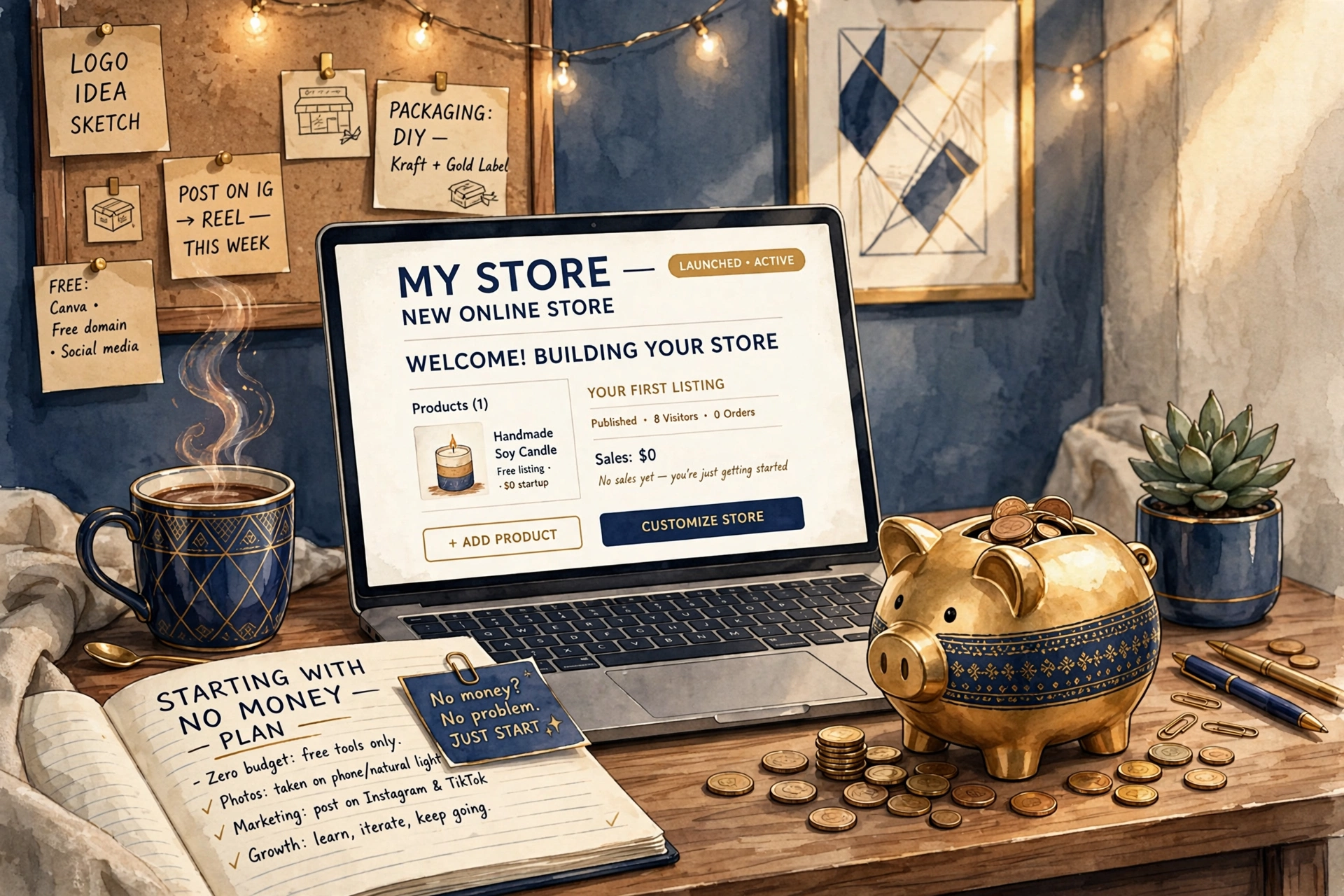
    Starting an online business sounds expensive — inventory, websites, ads, designers. But in 2026, none of that is required on day one. With free tools, AI assistants, and platforms built for beginners, you can genuinely start an online business with no money and grow it from your first sale.

    This guide gives you the exact step-by-step blueprint: the business models that cost nothing to start, how to build your store for $1, and how to get customers without paying for ads. No hype, no income guarantees — just practical steps that work.

    Why 2026 Is the Best Time to Start for Free

    Three things changed the game. First, AI tools now handle copywriting, product descriptions, and even ad creatives — work that used to cost hundreds of dollars. Second, platforms like Shopify, Canva, and TikTok offer free tiers or trial deals that cover everything a beginner needs. Third, organic short-form video lets new brands reach thousands of people without spending a cent on advertising.

    The barrier isn’t money anymore. It’s knowing where to start and staying consistent long enough to see results.

    Step 1: Choose a Zero-Cost Business Model

    Not every online business can start at $0. Pick one of these proven models where you only pay after you earn:

    • Dropshipping: Sell products without holding inventory. Your supplier ships directly to the customer, so you never buy stock upfront.
    • Print on demand: Sell custom t-shirts, mugs, and posters. Products are printed only when someone orders.
    • Digital products: Sell ebooks, templates, or planners. Create once, sell forever, with zero shipping costs.
    • Freelancing or services: Sell a skill — design, writing, video editing, social media management. Your only investment is time.
    • Affiliate marketing: Recommend products you trust and earn commissions. Pair it with a blog or TikTok account.

    For beginners, dropshipping and digital products pair best with a Shopify store, because the platform handles payments, checkout, and delivery logistics for you.

    Step 2: Build Your Store for $1/Month

    You need a professional home base — a real store, not just a social media profile. Customers trust businesses with proper websites, and a store lets you collect emails, run promotions, and look legitimate from day one.

    Shopify regularly offers new merchants 3 months for just $1/month through Shopify’s $1/month deal — full access to the platform while you build and launch. After the trial, plans renew at the regular price, and you can cancel anytime.

    Launch Your Store for $1

    Get 3 months of Shopify for just $1/month and start building today — no big upfront cost.

    Start for $1 →

    Step 3: Get Your First Customers Without Paid Ads

    Paid advertising is optional. These free traffic methods work especially well for new stores:

    • TikTok and Reels: Post 1–2 short videos daily showing your product in use. One viral video can drive hundreds of orders.
    • Pinterest: Product pins work like a free visual search engine and keep sending traffic for months.
    • SEO blog content: Write helpful articles answering questions your customers search for on Google.
    • Communities: Answer questions genuinely in Reddit threads, Facebook groups, and forums in your niche.
    • Email list: Offer a small discount for email signups from day one — it’s the only audience you truly own.
    Tip: Sell one thing before you build a catalog. Validate demand with a single hero product, then expand into what your customers actually ask for.

    5 Mistakes That Kill $0 Startups

    1. Waiting for perfect: Launch with a simple store and improve it weekly. Perfection is procrastination.
    2. Targeting everyone: A store for “everyone” sells to no one. Pick one niche and one customer.
    3. Ignoring email: Social followers are rented. Collect emails from your first visitor.
    4. Quitting at day 30: Most stores take 60–90 days of consistent effort before traction appears.
    5. Buying courses first: Free content on YouTube and blogs teaches 90% of what you need to start.

    Want It Built for You?

    Taktik Marketing is an agency that builds Shopify stores for clients every week. Start your $1 trial today, then let us handle the heavy lifting.

    Start Your $1 Trial →

    Frequently Asked Questions

    Can you really start an online business with $0?

    Yes — if you choose a model like dropshipping, print on demand, or digital products, and use free tools plus a $1 trial to build your store. Your investment is time, not money.

    How long until I make my first sale?

    It varies widely. With consistent daily effort — posting content and improving your store — many beginners see their first sale within 30 to 90 days. There are no guarantees, but consistency is the biggest predictor.

    Do I need technical skills to build a Shopify store?

    No. Shopify is designed for non-technical users with drag-and-drop themes and guided setup. If you’d rather skip the learning curve, agencies like Taktik Marketing can build it for you.

    T

    Taktik Marketing

    Digital marketing agency helping brands launch, sell, and scale online — with practical guides on Shopify, dropshipping and e-commerce growth.

    LET’S WORK TOGETHER

    Have a project in mind?
    Let’s create something extraordinary.

    Reach out today — we’ll get back to you fast.

    Get in touch →

  • How to Sell Digital Products on Shopify (Complete 2026 Guide)

    How to Sell Digital Products on Shopify (Complete 2026 Guide)

    Home  /  Blog  /  Digital Products

    How to Sell Digital Products on Shopify (Complete 2026 Guide)

    How to Sell Digital Products on Shopify (Complete 2026 Guide)

    Disclosure: This post contains affiliate links. If you buy through them, we may earn a commission at no extra cost to you. Learn more.

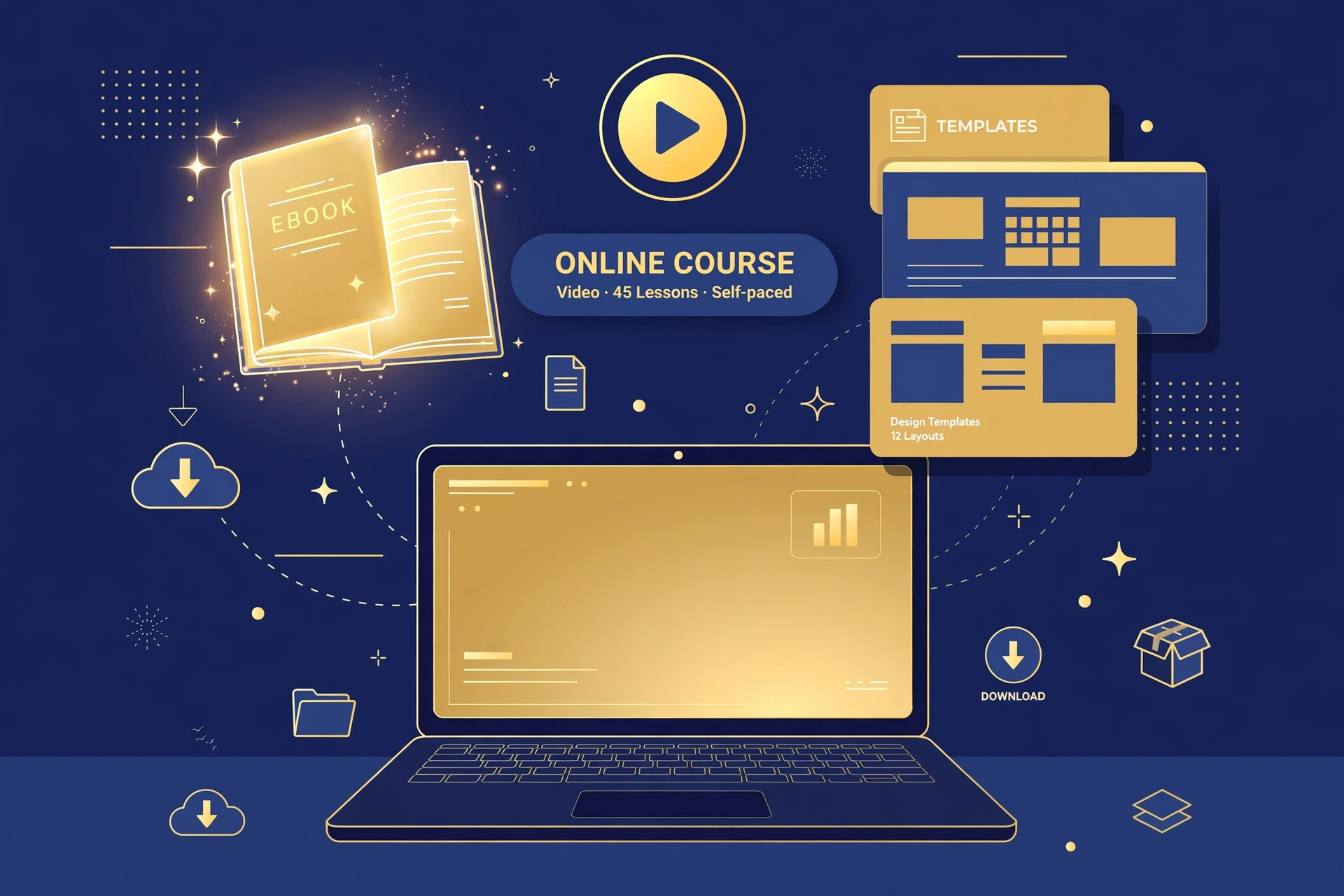
    Digital products — ebooks, templates, presets, planners, and courses — are among the highest-margin products you can sell online. You create them once and sell them forever, with no inventory, no shipping, and nearly 100% profit on every sale. Here is how to sell digital products on Shopify, from creation to delivery to marketing.

    Why Digital Products Are a Great Online Business

    Unlike physical products, digital goods cost nothing to reproduce or deliver. That changes the economics completely:

    • No inventory or shipping — deliver instantly, worldwide, automatically
    • High margins — after creation, almost every dollar is profit
    • Infinitely scalable — 10 sales or 10,000 cost you the same
    • Fast to launch — go from idea to store in days, not months

    The trade-off: you need real expertise or creativity. Digital buyers pay for transformation — teach a skill, solve a problem, or save them time.

    Step 1: Choose What to Sell

    Start from skills you already have. Proven digital product ideas by skill:

    • Designers: Canva templates, Lightroom presets, fonts, social media packs
    • Writers: ebooks, guides, workbooks, resume templates
    • Teachers and coaches: video courses, workshops, coaching programs
    • Organizers: digital planners, budgets, Notion templates, habit trackers
    • Photographers: stock photo packs, presets, overlays
    • Developers: code snippets, website themes, plugins

    Validate demand before building: search Etsy and Gumroad for similar products with strong reviews, and check Google Trends for the topic.

    Launch Your Digital Product Store

    Start on Shopify for $1/month — perfect for digital products with zero inventory costs.

    Start My $1 Store →

    Step 2: Create Your Product

    Quality is everything — refunds kill digital businesses. Use tools you already know: Canva or Google Docs exported to PDF for ebooks and planners, Notion for templates, Loom or your phone for course videos. Keep your first product focused: one clear outcome, delivered well, beats a bloated 200-page guide nobody finishes.

    Before launch, get 3–5 beta users to go through it and give feedback. Their testimonials become your best sales copy.

    Step 3: Set Up Your Shopify Store for Digital Delivery

    Shopify handles digital products well with the right setup. Install Shopify’s free Digital Downloads app, upload your files, and attach them to your products — customers get an instant download link after checkout, automatically.

    Start your store with Shopify’s $1/month deal to keep costs near zero while you build. Then optimize your product pages:

    • Show mockups: display your ebook or template in a realistic 3D mockup — perceived value jumps instantly
    • Offer previews: free sample pages or a preview video reduce purchase hesitation
    • List exactly what’s included: file formats, page counts, bonuses — remove all doubt
    • Add reviews: even 5–10 honest reviews dramatically lift conversion
    Tip: Add a simple license term to your product page (e.g., “for personal use”) — it reduces piracy disputes and justifies premium pricing.

    Step 4: Market Your Digital Products

    Digital products sell through trust and demonstration. The best channels in 2026:

    • Content marketing: TikTok, YouTube, and Pinterest are ideal — show the transformation your product delivers
    • Email list: offer a free sample in exchange for emails, then nurture subscribers into buyers
    • SEO: blog posts targeting buyer keywords compound into free traffic for years
    • Affiliates: offer 30–50% commissions; with near-100% margins, you can afford it

    At Taktik Marketing, we build Shopify stores for digital creators and help them pair the store with content that actually sells — from product page copy to short-form video strategy.

    Turn Your Knowledge Into Income

    Create once, sell forever. Launch your digital product store on Shopify today.

    Get Started for $1/Month →

    Frequently Asked Questions

    Do I need technical skills to sell digital products on Shopify?

    No. If you can upload a file and write a product description, you can do this. Shopify’s Digital Downloads app handles delivery automatically — no coding required.

    How do I prevent people from sharing my digital products?

    You cannot stop it entirely, but unique download links, PDFs stamped with buyer emails, and clear license terms deter most casual sharing. Focus on honest buyers — they are the majority.

    How much can I earn selling digital products?

    It varies widely. Some creators earn a few hundred dollars a month; others build six-figure businesses. Your results depend on product quality, audience size, and marketing consistency — there are no guarantees, but the margins make every sale count.

    T

    Taktik Marketing

    Digital marketing agency helping brands launch, sell, and scale online — with practical guides on Shopify, dropshipping and e-commerce growth.

    LET’S WORK TOGETHER

    Have a project in mind?
    Let’s create something extraordinary.

    Reach out today — we’ll get back to you fast.

    Get in touch →

  • 10 Winning Dropshipping Products to Sell on Shopify in 2026

    10 Winning Dropshipping Products to Sell on Shopify in 2026

    Home  /  Blog  /  Dropshipping

    10 Winning Dropshipping Products to Sell on Shopify in 2026

    10 Winning Dropshipping Products to Sell on Shopify in 2026

    Disclosure: This post contains affiliate links. If you buy through them, we may earn a commission at no extra cost to you. Learn more.

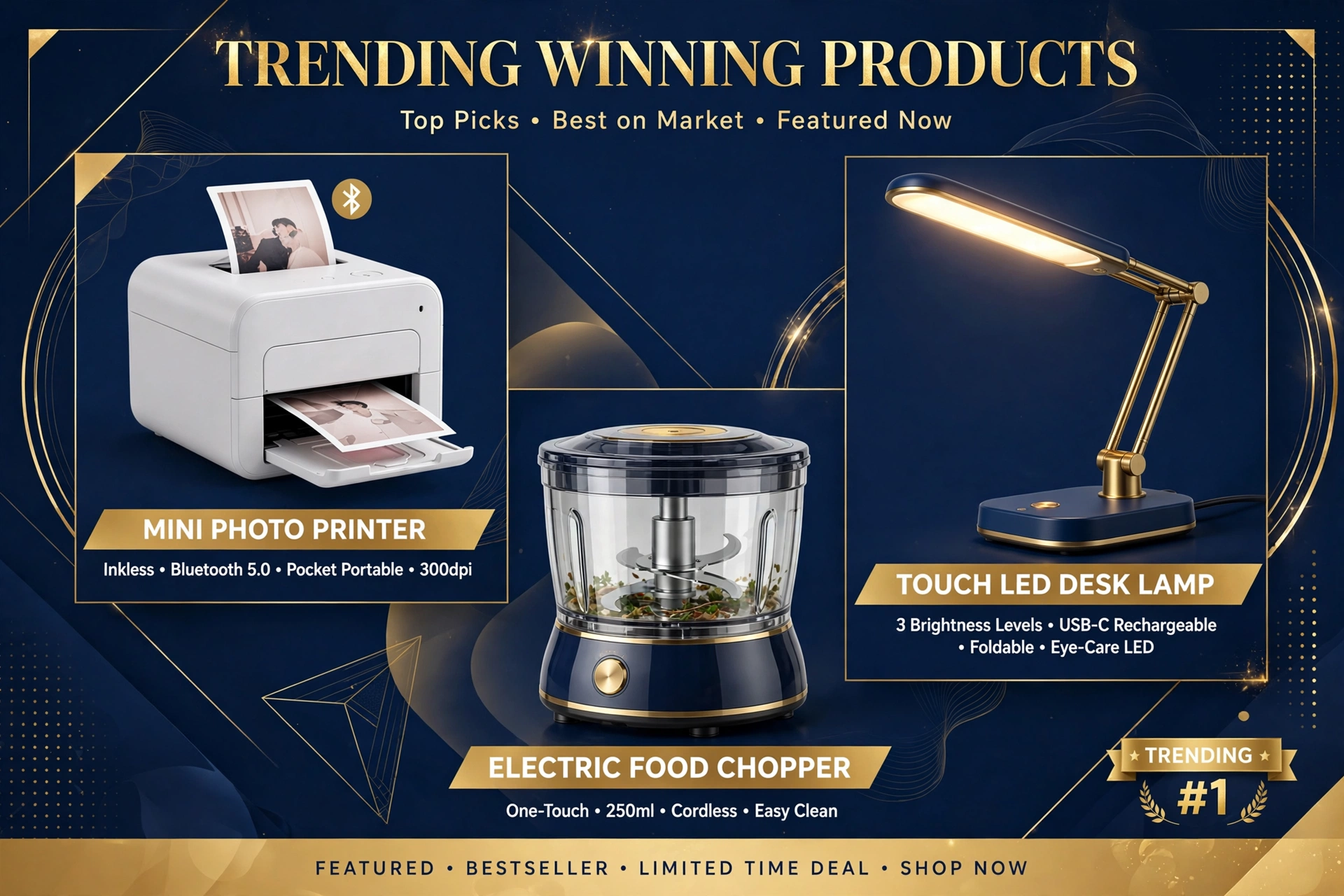
    A single winning dropshipping product can carry an entire store — one great product with the right ad can generate thousands of orders. But winners are not random. They share patterns you can learn to recognize. Below are 10 product ideas with strong potential on Shopify in 2026, plus exactly how to validate and price them before you spend a dollar on ads.

    What Makes a Product a “Winner”?

    Before the list, learn the pattern. Winning products usually check most of these boxes:

    • Solves a problem or delivers a clear “wow” moment
    • Priced $20–$60 — the impulse-buy sweet spot
    • Lightweight with cheap shipping
    • Hard to find in local stores
    • Video-friendly — the benefit is visible in 3 seconds on TikTok
    • Good margins — at least 3x markup to cover ad costs

    10 Winning Dropshipping Products for 2026

    1. Portable Mini Printer

    A pocket-sized thermal printer that prints photos, notes, and labels straight from your phone — no ink needed. Huge appeal for students, journalers, and small business owners, and endlessly demonstrable on video.

    2. Posture Corrector Brace

    An evergreen wellness product. Remote and desk workers feel the problem daily, the before-and-after is visual, and it fits the $25–$40 price band perfectly.

    3. Electric Spin Scrubber

    A rechargeable cleaning brush that makes bathroom and kitchen scrubbing effortless. Cleaning videos are a proven viral category, and the transformation is satisfying to watch.

    4. Pet Hair Remover Roller

    Reusable, no refills needed, and every pet owner understands it instantly. The low price point also makes it an easy add-on or bundle item.

    5. Sunset Projection Lamp

    Turns any room into a golden-hour backdrop. Massive with renters, teens, and content creators who want aesthetic lighting for photos and video.

    6. Mini Neck Massager

    Portable neck massagers tap into the stress-relief and wellness trend. Strong margins and excellent gift appeal year-round.

    7. Car Trunk Organizer

    Practical, visual, and appealing to parents, commuters, and road-trippers. The “messy trunk to organized trunk” demo practically sells itself.

    8. Cool Mist Humidifier

    Compact humidifiers with ambient lighting double as decor. Strong in fall and winter, and wellness positioning keeps them relevant all year.

    9. 3-in-1 Magnetic Charging Station

    Charges phone, watch, and earbuds in one sleek dock. Tech accessories convert well with gift buyers, and the unboxing looks premium.

    10. Vegetable Chopper Pro

    A multi-blade chopper that dices vegetables in seconds. Kitchen gadgets are a forever category, and the speed demo is pure TikTok bait.

    Sell These Products on Your Own Store

    Launch a Shopify store for $1/month and start testing winning products this week.

    Start Selling Today →

    How to Validate a Product Before You Scale

    A product idea is just a hypothesis until data confirms it. Validate in this order:

    1. Check Google Trends for stable or rising interest over 12 months — avoid one-month spikes.
    2. Search TikTok and Instagram for the product. Millions of views on demos signal real demand.
    3. Spy on competitors with the Meta Ad Library — ads running for weeks usually mean they are profitable.
    4. Order a sample. Check quality, shipping time, and packaging yourself.
    5. Run a small test: $20–$50 in TikTok or Meta ads to a simple product page. Clicks and add-to-carts tell you the truth.

    Kill fast and test often — most experienced dropshippers test 5–10 products to find one winner. Once you have a validated product, launch it on Shopify’s $1/month plan to keep your costs low while you scale the test. At Taktik Marketing, our agency builds Shopify dropshipping stores and produces the short-form ad creatives used to test products like these.

    How to Price Products for Profit

    Pricing makes or breaks dropshipping. A common rule: retail price = 3x your landed product cost (product + shipping). So an $8 item with $4 shipping sells around $35. This leaves room for ad costs, which often eat 25–35% of revenue, plus Shopify fees and refunds.

    Use psychological pricing ($34.95 instead of $35), bundle related items to raise average order value, and never compete on being the cheapest — compete on branding, speed, and trust.

    Tip: Check the Meta Ad Library for competitors running the same product for 30+ days — long-running ads are the strongest public signal that a product is profitable.

    Your Store Could Be Live Today

    Shopify’s $1/month deal gives you 3 months to build, test, and scale.

    Claim the $1 Deal →

    Frequently Asked Questions

    How do I know if a dropshipping product is saturated?

    Check how many stores sell it and how long competitors have run ads. A product with a few sellers and fresh creative angles still has room; one with hundreds of identical listings and falling engagement is likely saturated.

    Should I sell one product or many?

    Beginners do better with a focused catalog of 10–20 related products or a one-product store built around a hero item. General stores with hundreds of random products convert poorly and are harder to market.

    Can I sell these products without paid ads?

    Yes — organic TikTok, Instagram Reels, and YouTube Shorts have launched countless dropshipping products for free. It takes consistency (daily posting for 30–60 days), but the traffic is real and the learnings are invaluable.

    T

    Taktik Marketing

    Digital marketing agency helping brands launch, sell, and scale online — with practical guides on Shopify, dropshipping and e-commerce growth.

    LET’S WORK TOGETHER

    Have a project in mind?
    Let’s create something extraordinary.

    Reach out today — we’ll get back to you fast.

    Get in touch →

  • How to Start Dropshipping with Shopify in 2026 (Step-by-Step)

    How to Start Dropshipping with Shopify in 2026 (Step-by-Step)

    Home  /  Blog  /  Dropshipping

    How to Start Dropshipping with Shopify in 2026 (Step-by-Step)

    How to Start Dropshipping with Shopify in 2026 (Step-by-Step)

    Disclosure: This post contains affiliate links. If you buy through them, we may earn a commission at no extra cost to you. Learn more.

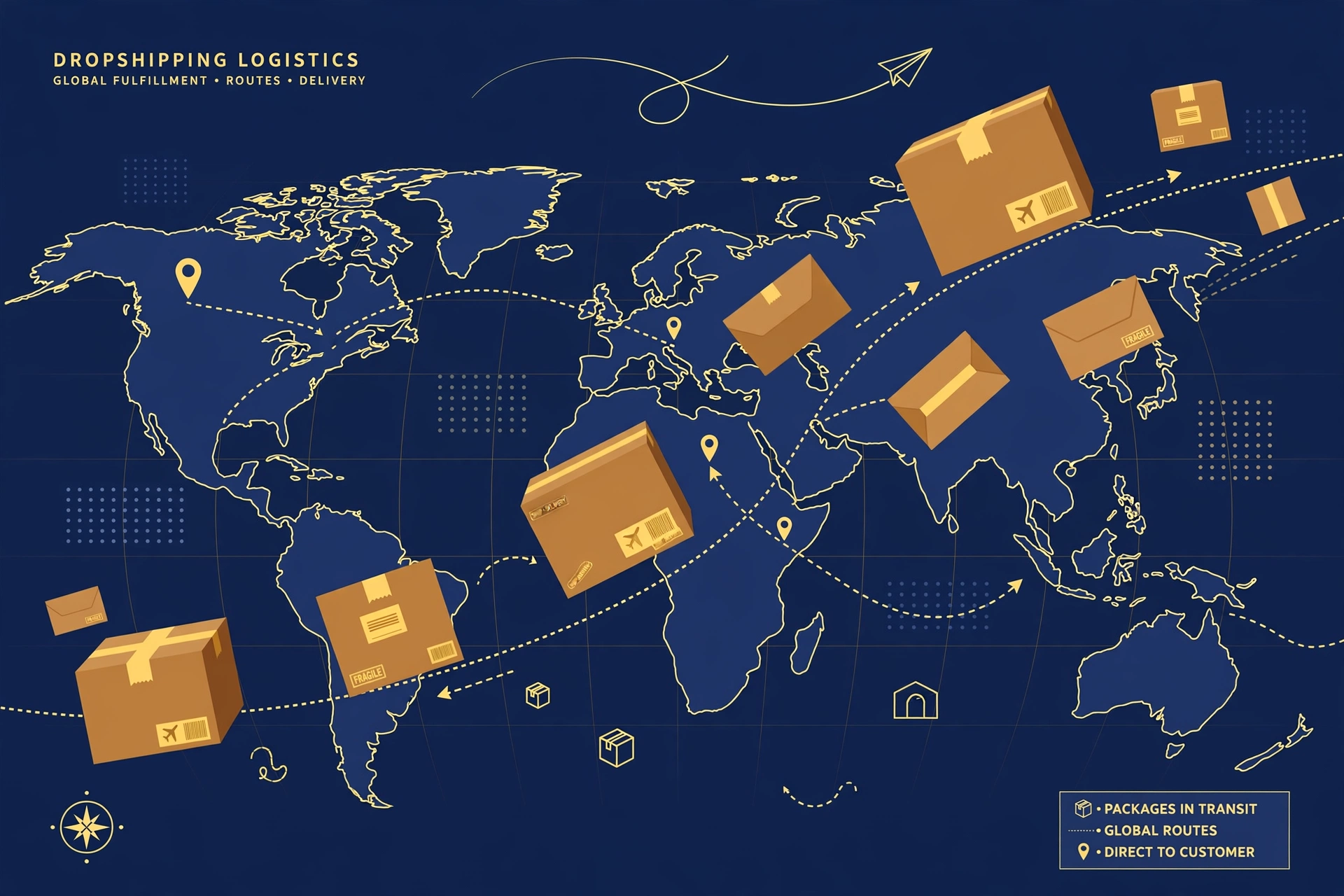
    Dropshipping is still one of the lowest-cost ways to start an online business in 2026. You sell products without holding any inventory — when a customer orders, your supplier ships directly to them. And Shopify remains the most popular platform for dropshipping, with purpose-built apps that connect your store to suppliers in minutes. In this guide, you will learn how to start dropshipping with Shopify step by step, from choosing a niche to landing your first sale.

    What Is Dropshipping, and Why Shopify?

    With dropshipping, you act as the storefront and marketer while a third-party supplier handles storage, packing, and shipping. Your profit is the difference between your retail price and the supplier’s cost, minus ad spend and fees.

    Shopify is the go-to platform for this model because it removes the technical barriers:

    • Fast setup: launch a professional store in a day, no coding required.
    • Dropshipping apps: DSers, AutoDS, Spocket, and Zendrop import products and automate order fulfillment.
    • Built-in payments: Shopify Payments, PayPal, and more work out of the box.
    • Mobile-ready themes: most shoppers buy on phones, and Shopify themes are responsive by default.

    Step 1: Choose a Profitable Niche

    Beginners often try to sell everything. Focused niche stores convert better, are easier to market, and build trust faster. Look for a niche where products meet most of these criteria:

    • Priced between $20 and $60 — high enough for margins, low enough for impulse buys
    • Lightweight and cheap to ship
    • Solves a real problem or taps into a passionate hobby
    • Not easily found in local stores
    • Easy to demonstrate on video — TikTok and Reels love these

    Strong 2026 niches include pet accessories, home organization, kitchen gadgets, fitness accessories, car organizers, and baby products. Pick one you understand — your marketing will be far more convincing.

    Ready to Build Your Store?

    Start your Shopify store today for just $1/month and launch your dropshipping business this week.

    Claim the $1/Month Deal →

    Step 2: Set Up Your Shopify Store

    You can launch with Shopify’s $1/month deal, which gives new merchants three months at $1 per month — plenty of time to build and test your store. Follow these steps:

    1. Create your account and answer the onboarding questions about your business.
    2. Pick a clean theme. Start with a free Shopify theme like Dawn or Craft; you can upgrade later.
    3. Add essential pages: About Us, Contact, Shipping and Returns, Privacy Policy, and Terms of Service. These build trust and are required by ad platforms.
    4. Configure payments and shipping. Enable Shopify Payments or PayPal, set your shipping zones and rates, and add tax settings.
    5. Connect a custom domain (like yourstore.com) instead of the default myshopify.com address.

    If you would rather skip the technical work, Taktik Marketing builds done-for-you Shopify stores designed to convert — so you can focus on products and marketing instead of settings and themes.

    Step 3: Find Reliable Suppliers

    Your supplier determines your product quality, shipping speed, and customer satisfaction. Popular options in 2026:

    • DSers + AliExpress: the classic combo — huge catalog and lowest prices, but slower shipping.
    • Spocket: US and EU suppliers with 2–5 day shipping; higher product costs.
    • AutoDS: an automation-heavy platform with fulfillment services.
    • Zendrop: US-based fulfillment with branding options like custom packaging.

    Before committing, check supplier ratings, message them to test responsiveness, and always order samples of your hero products. If you would not be happy receiving it yourself, do not sell it.

    Tip: Start with 10–20 products, not 200. A tight catalog is easier to optimize, and you can expand once you know what actually sells.

    Step 4: Add Products and Write Listings That Convert

    Import your products through your dropshipping app, then rewrite everything. Supplier titles and descriptions are usually terrible — yours should sell benefits, not features. Each listing needs:

    • A clear, benefit-driven title (not a keyword-stuffed supplier title)
    • High-quality images and, ideally, a short product video
    • A description that answers “what’s in it for me?” in scannable bullet points
    • Social proof: import reviews where allowed, and collect your own fast
    • Pricing with healthy margins — aim for at least 3x your product cost to leave room for ads

    Step 5: Drive Traffic and Get Your First Sales

    A beautiful store with no visitors makes no money. In 2026, the fastest free traction still comes from short-form video: post organic TikToks and Reels demonstrating your products every day. For paid traffic, start small — $10 to $20 per day on Meta or TikTok ads, testing one product and one angle at a time.

    Other channels worth building over time:

    • SEO content: blog posts answering buyer questions compound into free traffic over months.
    • Email: capture emails with a discount popup from day one; abandoned-cart emails recover 10–15% of lost checkouts.
    • Influencers: send free products to micro-creators in your niche for honest reviews.

    Launch Your Dropshipping Store This Week

    Join millions of merchants on Shopify. Your first 3 months cost just $1/month.

    Start My Store →

    Frequently Asked Questions

    How much money do I need to start dropshipping with Shopify?

    You can technically start with under $100 using Shopify’s $1/month deal and free traffic from TikTok. Realistically, budget $200–$500 for apps, a domain, product samples, and small ad tests. More budget speeds up testing, but it does not guarantee success.

    Is dropshipping still profitable in 2026?

    Yes, but the “list random products and get rich” era is over. Profitable stores in 2026 win with branded-feeling stores, fast shipping, good creative, and real customer service. Treat it as a real business and the model still works.

    How long does it take to get your first sale?

    With consistent organic content, many beginners see their first sale within 2–4 weeks. With paid ads and a validated product, it can happen in days — but expect to test several products before finding a winner.

    T

    Taktik Marketing

    Digital marketing agency helping brands launch, sell, and scale online — with practical guides on Shopify, dropshipping and e-commerce growth.

    LET’S WORK TOGETHER

    Have a project in mind?
    Let’s create something extraordinary.

    Reach out today — we’ll get back to you fast.

    Get in touch →

  • Shopify $1/Month Deal: How to Launch Your Store for $1 (2026 Guide)

    Shopify $1/Month Deal: How to Launch Your Store for $1 (2026 Guide)

    Home  /  Blog  /  Shopify Basics

    Shopify $1/Month Deal: How to Launch Your Store for $1 (2026 Guide)

    Shopify $1/Month Deal: How to Launch Your Store for $1 (2026 Guide)

    Disclosure: This post contains affiliate links. If you buy through them, we may earn a commission at no extra cost to you. Learn more.

    Want to start an online store without spending hundreds of dollars upfront? Shopify’s $1/month deal is one of the best offers in e-commerce: you get full access to the platform for just $1 per month for your first 3 months.

    In this guide, we explain exactly how the Shopify $1 deal works, what’s included, and how to claim it step by step.

    What Is the Shopify $1/Month Deal?

    Shopify regularly offers new merchants 3 months of Shopify for $1/month. Instead of paying the full plan price from day one, you pay just $1 per month while you build and launch your store.

    After the 3 months, your plan renews at the regular price — and you can cancel anytime.

    Ready to launch your store?

    Claim the $1/month deal and start building today.

    Claim the $1/month deal →

    What’s Included in the $1 Trial?

    • Full access to the Shopify admin and all core features
    • Unlimited products
    • Free SSL certificate and secure checkout
    • Shopify’s mobile app to manage your store on the go
    • 24/7 customer support

    How to Claim the Shopify $1 Deal (Step by Step)

    1. Click our link to go to Shopify’s official offer page.
    2. Enter your email and answer a few quick questions about your business.
    3. Pick your plan — the $1/month pricing applies automatically for the first 3 months.
    4. Add your products and customize your store theme.
    5. Launch — connect your domain and start selling.

    Is Shopify Worth It After the Trial?

    Yes — if you’re serious about e-commerce. Shopify powers millions of stores because it removes the technical headaches: hosting, security, payments and checkout are all handled for you. The $1 deal simply removes the risk of trying it.

    As a marketing agency, we build Shopify stores for clients every week — it’s the platform we recommend most for beginners.

    Our take: there’s no cheaper way to test a business idea online. For $3 total, you get 3 months to build, launch and validate your store.

    Frequently Asked Questions

    How long does the $1/month pricing last?

    3 months. After that, your plan renews at the regular price.

    Can I cancel anytime?

    Yes. You can cancel your Shopify subscription at any time from your store admin.

    Do I need a credit card to start?

    Shopify may ask for payment details to activate the trial, but you only pay $1/month during the promotional period.

    Start your $1 store today

    Join millions of merchants selling with Shopify.

    Start my $1 store →

    T

    Taktik Marketing

    Digital marketing agency helping brands launch, sell, and scale online — with practical guides on Shopify, dropshipping and e-commerce growth.

    LET’S WORK TOGETHER

    Have a project in mind?
    Let’s create something extraordinary.

    Reach out today — we’ll get back to you fast.

    Get in touch →